Employee Leave management in Foodics Accounting
To Manage Employee Leaves, Please Follow These Steps:
1. From the Main Menu:
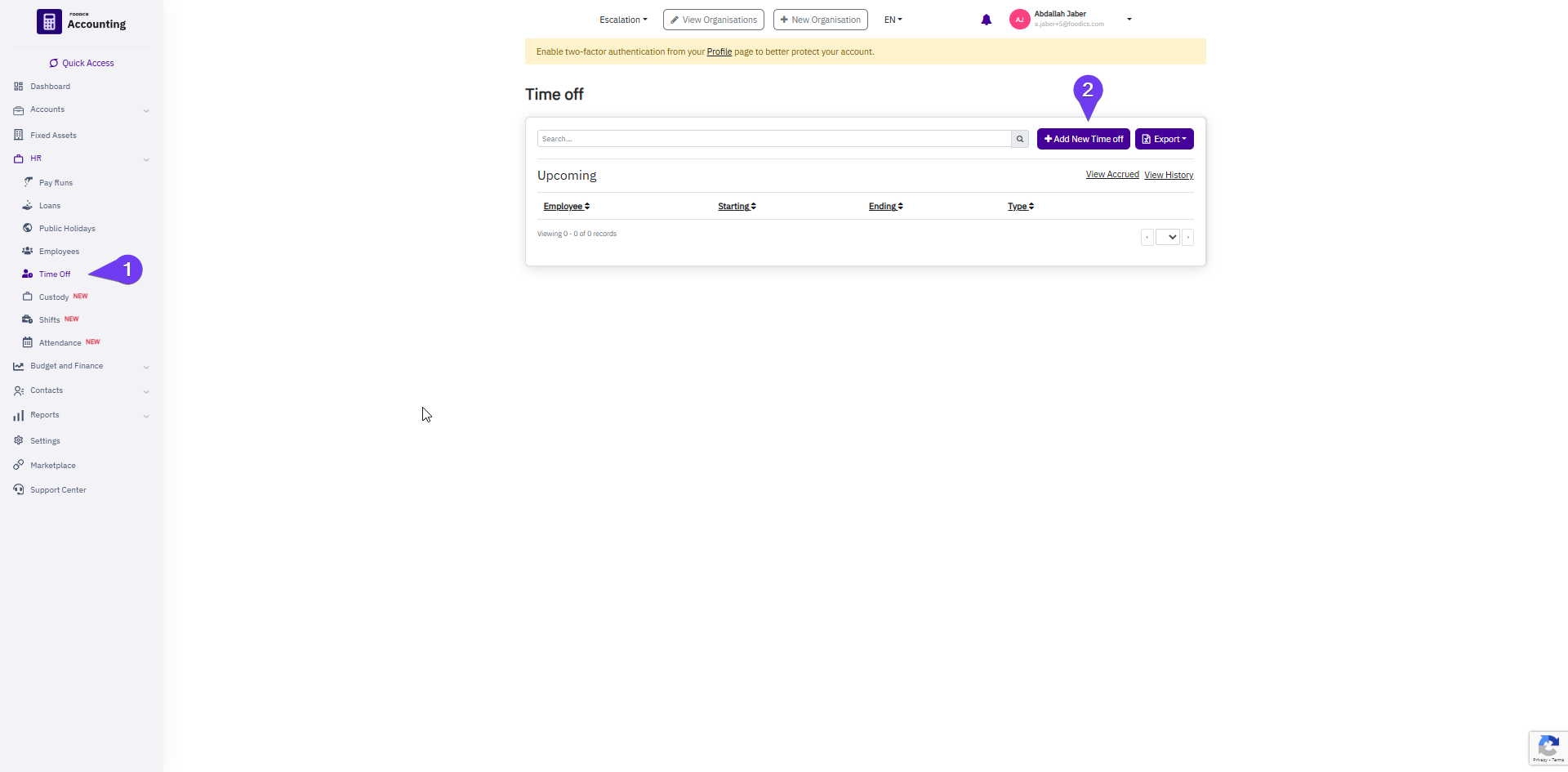
2. Click on "Add New Leave Request"
3. Fill in the Following Details:
- Employee Name
- Leave Type
- Start Date and End Date
- Start Time and End Time
- Reason for the Leave
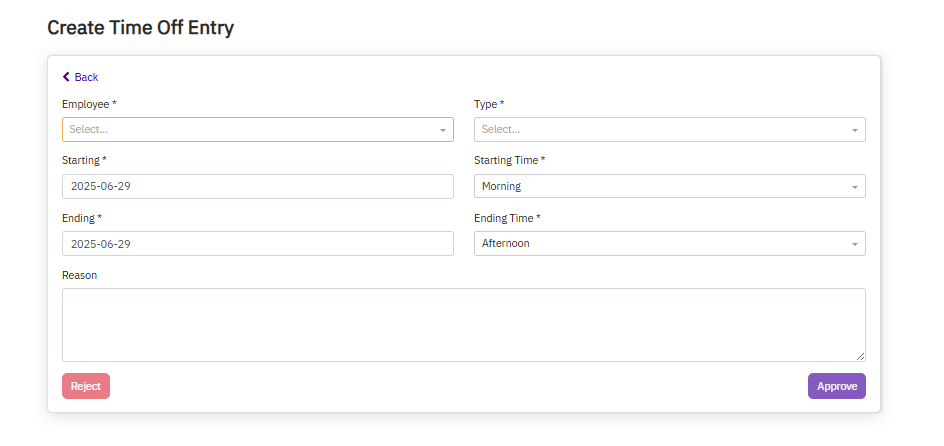
4. Submit the Request:
- Choose to Reject or Approve to save the leave record.