
How to Manage Employees in Foodics Accounting
To Manage Employees, Please Follow These Steps:
1. Add New Employees:
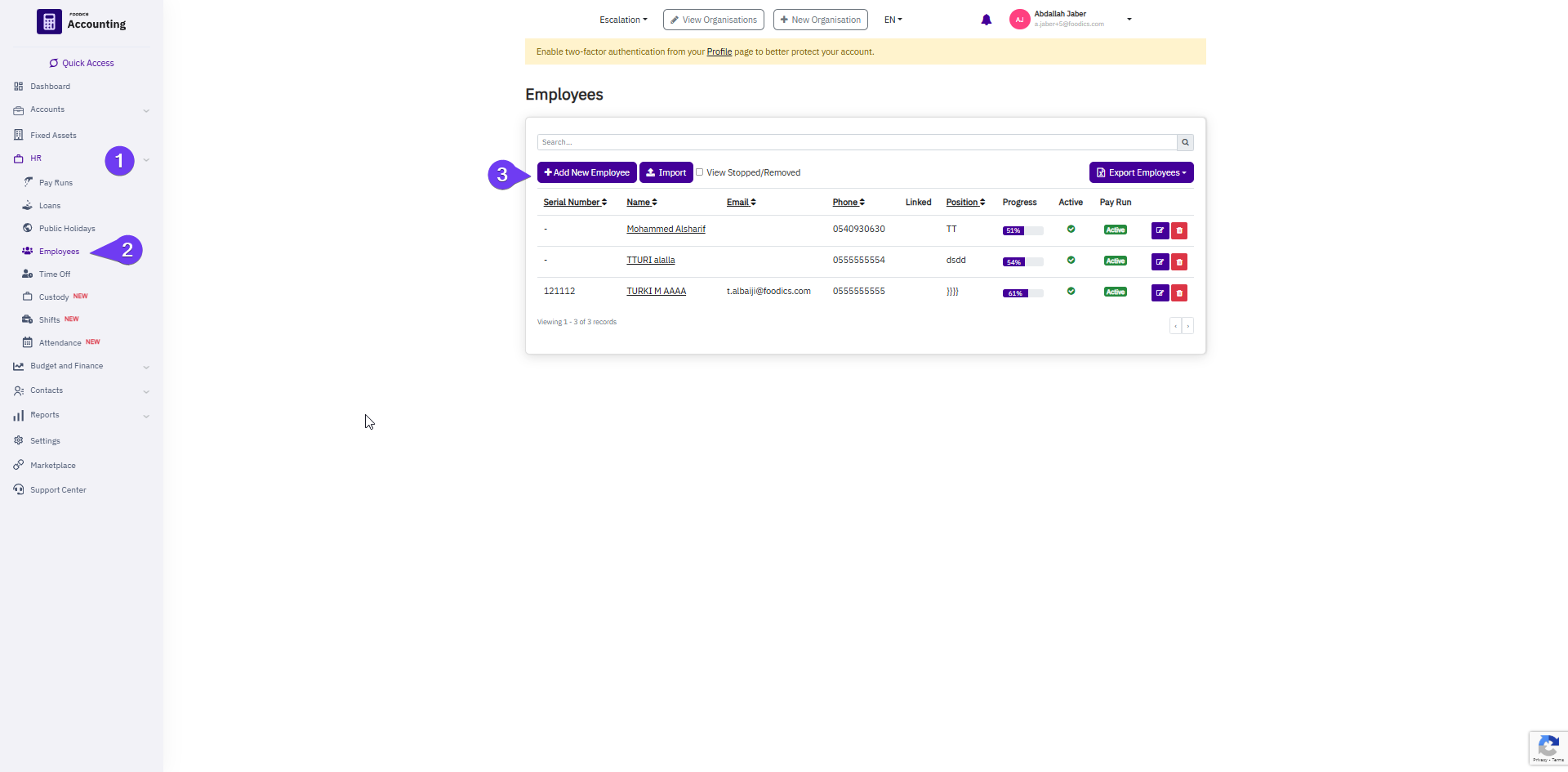
- Go to:
Main Menu > HR > Employees > Add New Employee
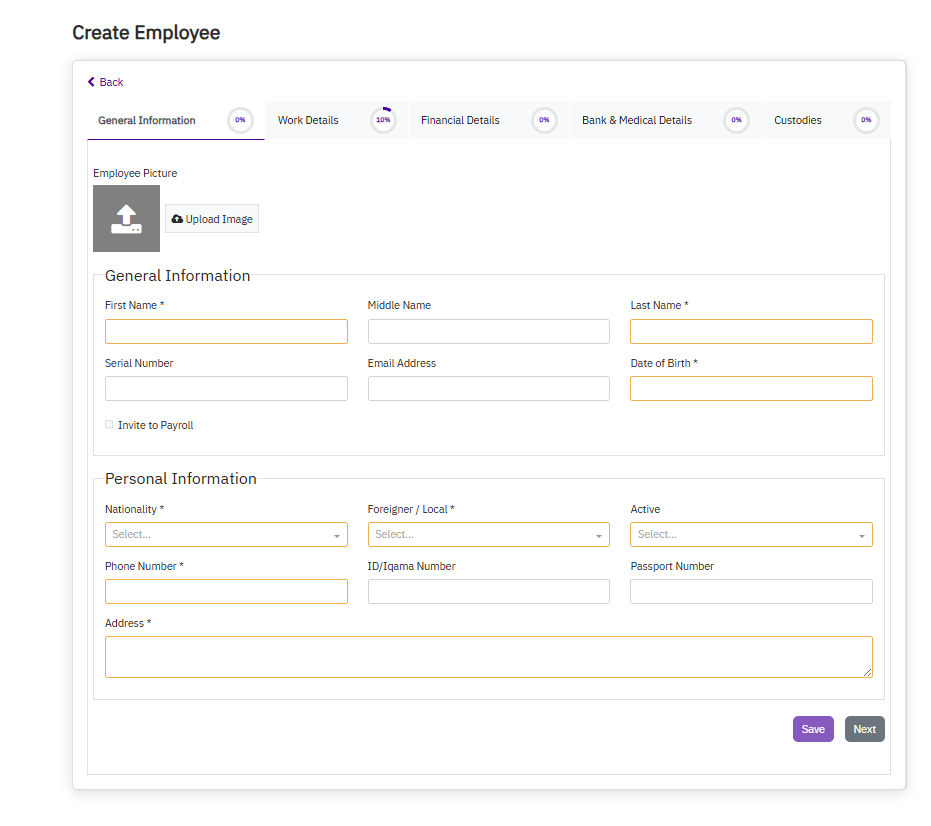
2. Fill in the Employee Details:
- Enter all personal and job-related details.
- Specify the number of working days.
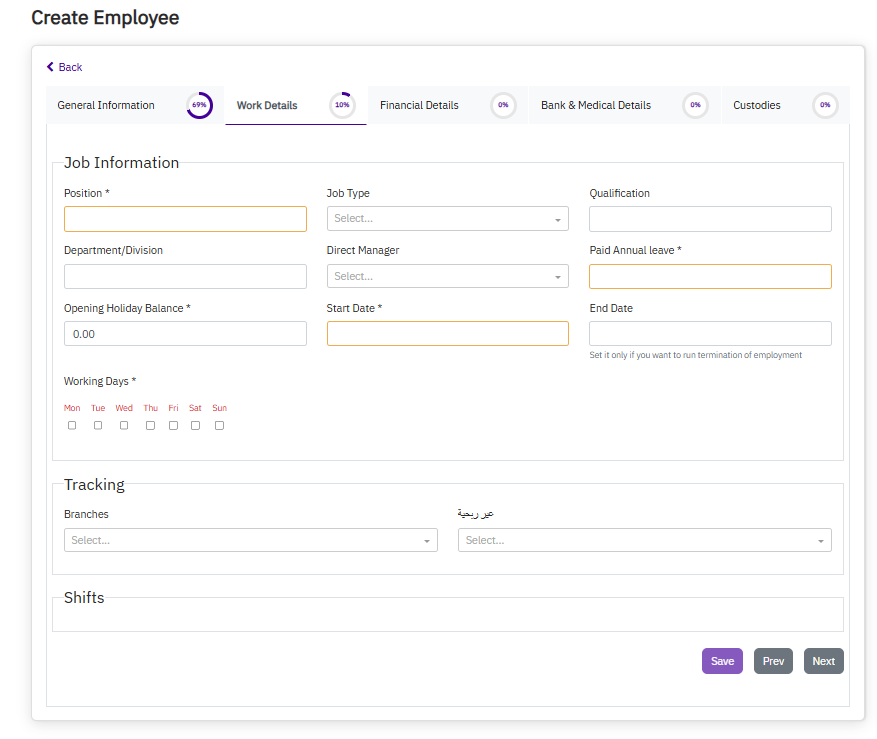
- Invite the employee to the Payroll System (if applicable).
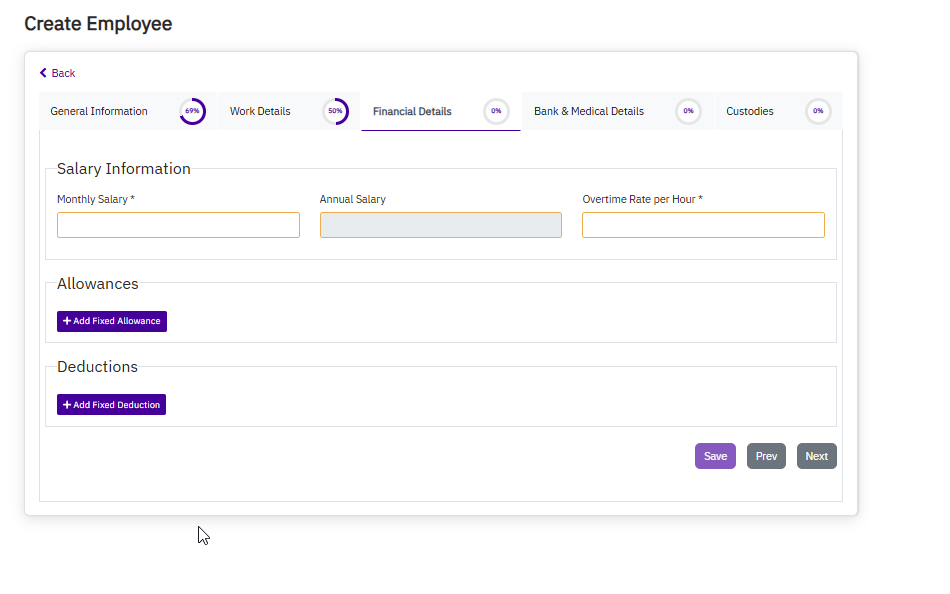
3. Enter the Annual Salary:
- For example, if the employee's basic monthly salary is 5,000,
then 5,000 × 12 = 60,000
➝ Enter 60,000 as the annual salary.
4. Enter Monthly Allowances:
- Include any applicable monthly allowances (e.g., housing, transport, etc.).
5. Save the Data.
How to Import Employees in Bulk:
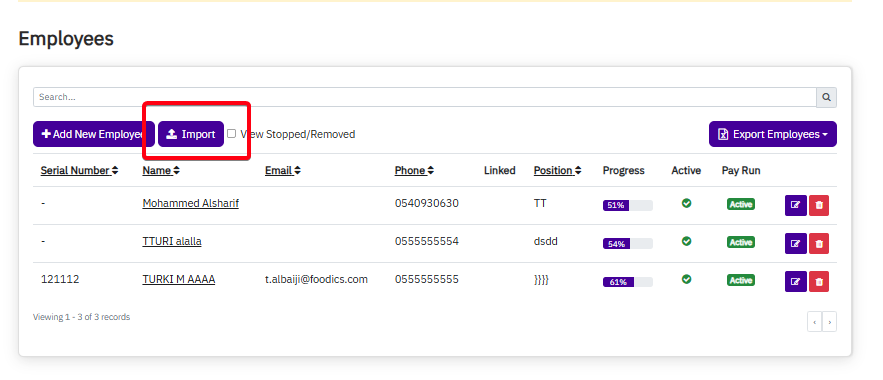
1. From the Main Menu:
- Go to:
HR > Employees > Click the Import Icon
2. Choose Excel:
- Download the employee upload template (Excel format).
- Fill in all the required employee information.
3. Upload the File:
- Drag and drop the file or click Insert File Here
(Options may vary depending on the client’s business setup.)
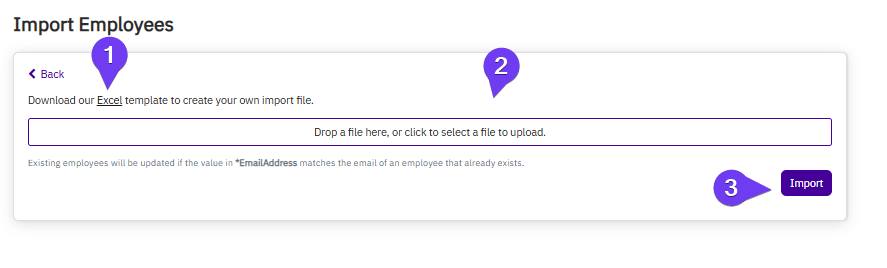
4. Click Upload:
- A confirmation message “File Uploaded Successfully” will appear.