|
To login to your Foodics Console:
- please visit https://console.foodics.com/login
- Enter the account number*
- Enter your email address
- Enter your password*
- Click Log In
* Note: If this is your first time login and you are the account owner, you should have received an Email from Foodics which contains your account number and initial password. We advise you to immediately change your password after you successfully login.
To change your password:
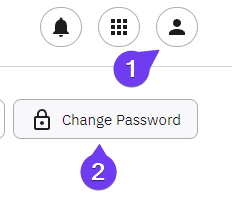
- Click on your user profile icon
- Click on your name.
- Click on Change Password on top Left.
You will be redirected to the Dashboard page of Foodics. If you notice some missing options on the menu on the left, it is due to you logging in as a user account and not owner's account. The user account might be missing Role Authorities that should be provided by the owner's account or an administrator.
|